Using Payara Server with Docker
Payara
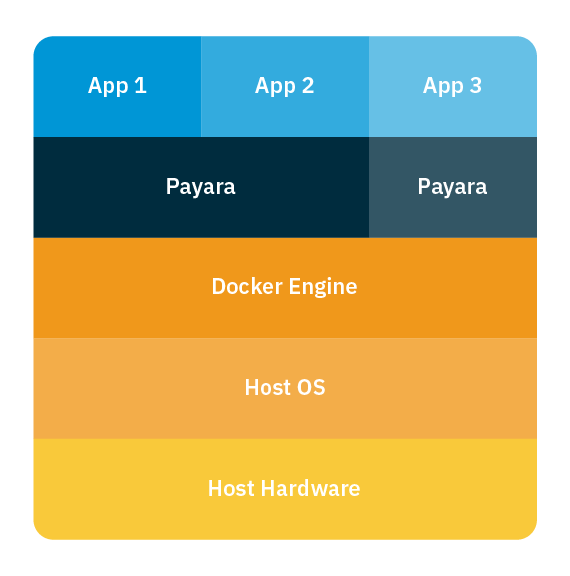
Docker is a platform which makes it easier to create, deploy and run your applications using containers. A container bundles all the software needed to run it. By packaging the required dependencies, it makes it easy to run it on any machine, regardless of small configuration differences. This article will explain more about introducing Docker.
The guide linked below will demonstrate the basic usage of Docker, including videos, as well as provide some example configurations using the Payara Server Docker images.
Learn how to:
{{cta(‘faa4a554-5e7f-45a3-b808-23d25d47c7db’)}}
Payara provides several Docker container images (download here). These can be used as-is to run your applications on Payara Server or Payara Micro (the Payara Platform). Or you can create your own Docker images based on them. If you want to explore more resources visit this page for more guides, videos and articles.
Share:

 7 minutes
If you worked with MicroProfile Health, you already understand the value of exposing application health information through standardized endpoints. […]
 1 minute
Earlier this week, we’ve launched the 2026 Payara Platform Community Survey and we’d love to hear from you. If […]
 2 minutes
Earlier this week, we hosted Jakarta Agentic AI, An Open Conversation, an open house Jakarta TechTalk session, exploring a […]

Thanks for this very useful document.
I used it to build an image above the docker image of Payara server full, with a Java 11 web application. During the deployment, this message is written:
Boot Command deploy failed PlainTextActionReporterFAILUREDescription: deploy AdminCommandError occurred during deployment: Exception while loading the app : CDI deployment failure:Class xxx.HelloWorldResource has unsupported major or minor version numbers, which are greater than those found in the Java Runtime Environment version 1.8.0_262.
Is it possible to deploy a Java 11 application or the error comes from another problem?
Hi Richard, it is possible to deploy a Java 11 application but not with the community Docker image as that runs on JDK 8. You need to create a JDK11 based Docker image. I hope this helps.
Thanks Jadon for your quick answer. All is clear now.
Hello, I notice the docker image in Docker Hub is in UNIX. Where can I download a docker image for Payara Server for Windows platform?