How To Use The Payara IntelliJ plugin for Smoother Jakarta EE Development
Jakarta EE


In the realm of Jakarta EE development, orchestrating a smooth interaction between your application and the server is paramount. The Payara IntelliJ Plugin is one such tool that facilitates seamless integration between the Payara Server and the IntelliJ IDEA. This plugin empowers developers to efficiently manage and deploy Jakarta EE applications, and troubleshoot issues right from their development environment. In this blog post, we will explore the various features of the Payara IntelliJ Plugin and provide a step-by-step guide on how to make the most of its capabilities.


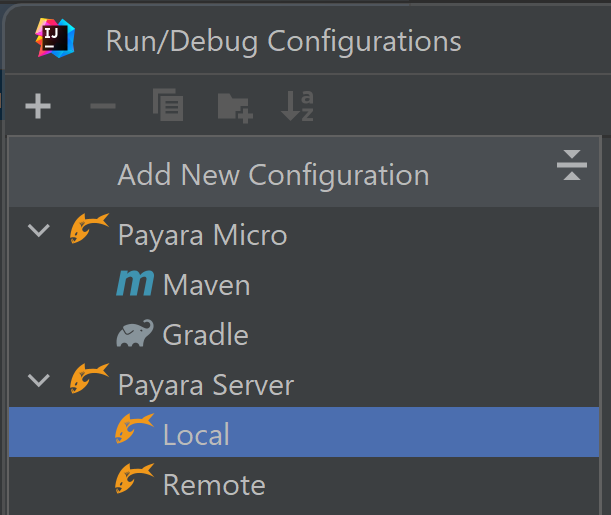


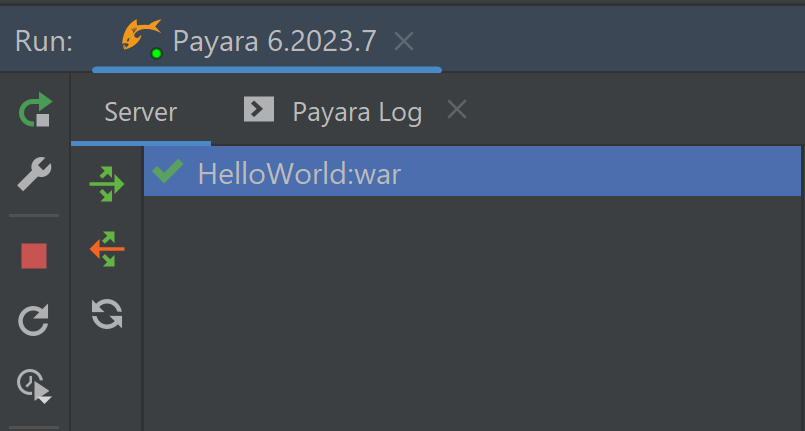


The Payara IntelliJ Plugin is an essential bridge between Jakarta EE application development and server management. Seamlessly integrating with the IntelliJ IDEA Ultimate, it empowers developers to streamline deployment, monitoring, and troubleshooting tasks. This guide has provided you with a concise roadmap to understand the plugin’s functionalities and leverage its potential to elevate your Jakarta EE development endeavours.
Additionally, it’s worth noting that the Payara IntelliJ tools also provide support for Payara Micro, a topic that will be covered in an upcoming blog post. Stay tuned for more insights into utilizing Payara Micro within your development workflow.
Creating web applications using the Jakarta EE Web Profile application? You can use Payara Cloud, our fully managed cloud native application runtime, check out our Free Trial:
{{cta(‘ec19bdcd-f3d9-47d3-8695-544e23dac55a’)}}
Fully managed Jakarta EE Cloud Deployment. ✅Handles Kubernetes for you.✅ 15 day free trial available.✅
Payara Cloud.
Share:

 7 minutes
If you worked with MicroProfile Health, you already understand the value of exposing application health information through standardized endpoints. […]
 1 minute
Modern high-frequency trading (HFT) platforms operate under extreme performance constraints, processing tens of thousands of messages per second while […]
 1 minute
Earlier this week, we’ve launched the 2026 Payara Platform Community Survey and we’d love to hear from you. If […]

I have a Java EE project deployed with Payara Server. With the newest Intellij Marketplace Store version, i can’t find the old “Payara Server Tools” plugin. There’s only “Microprofile Starter”. What can i do? How can i manage my projects locally with payara server?
Thank you for your question. You can use the ‘Payara Ultimate Tools’ plugin. It offers full support for managing Payara Server projects locally. You can find it here: https://plugins.jetbrains.com/plugin/15114-payara-ultimate-tools